






Turn Any Regular TV Into a Smart TV with Android Box
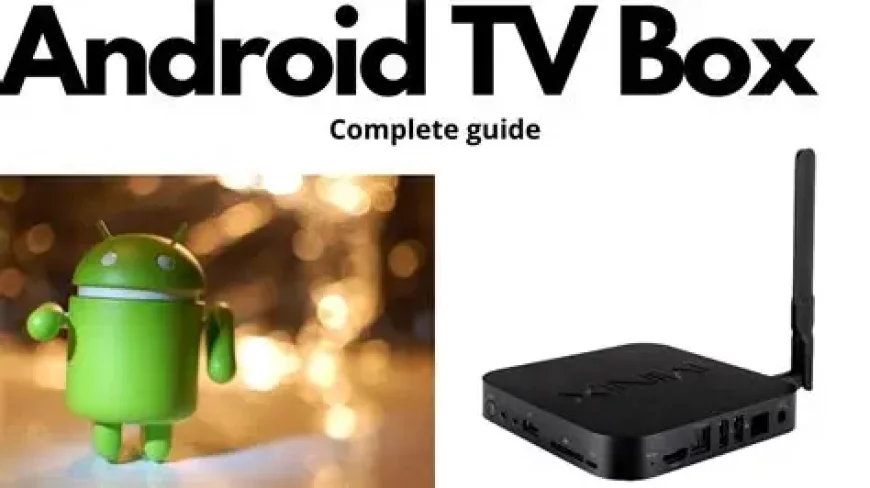
Turn Any Regular TV Into a Smart TV with an Android TV Box
Do you have a perfectly good TV but wish it could do more? Instead of buying a new Smart TV, there’s an easier and more affordable solution: an Android TV Box.
In 2025, these compact devices are revolutionizing home entertainment, allowing anyone to stream movies, watch live TV, play games, and access thousands of apps — all on a regular TV.
---
🔹 What Is an Android TV Box?
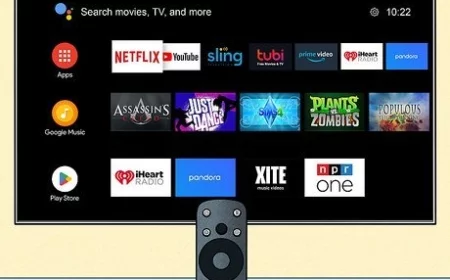
An Android TV Box is a small device that connects to your TV via HDMI and runs the Android operating system.
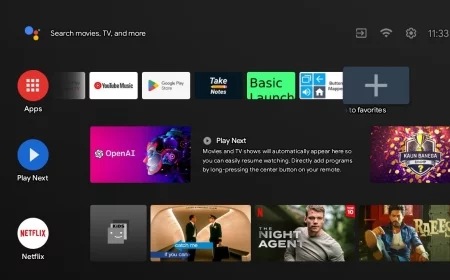
It can transform any ordinary television into a full-featured Smart TV, giving you access to:
Streaming platforms: Netflix, YouTube, Disney+, Amazon Prime Video
IPTV and live TV apps
Games and interactive apps from the Google Play Store
Media playback from USB drives, SD cards, or network storage
Think of it as turning your TV into a mini computer, optimized for entertainment.
---
🔹 Why Choose an Android TV Box Over a Smart TV?
Feature Android TV Box Smart TV
Price Affordable ($40–$200) Expensive ($300+)
Upgradeability Easy — just replace the box Limited — must buy a new TV
App Selection Thousands of apps from Google Play Limited to manufacturer’s store
Performance Depends on specs — can be very fast May slow down after a few years
Customization Full control — launchers, themes, sideload apps Minimal customization
Portability Works on any HDMI TV Fixed to TV
Firmware Updates Regular, independent Depends on TV manufacturer
Simply put, an Android TV Box offers flexibility, affordability, and future-proofing that a built-in Smart TV cannot match.
---
🔹 Top Features to Look for in a Quality Android TV Box
1. 4K & HDR Support – High-quality video streaming for modern TVs
2. Sufficient RAM & Storage – At least 2–4 GB RAM and 16–32 GB storage
3. Official Android TV / Google TV Certification – Access to official apps like Netflix, Prime Video, and Disney+
4. Reliable Network Connectivity – Dual-band Wi-Fi and Ethernet for smooth streaming
5. Multiple Ports – HDMI, USB, microSD, optical audio for maximum flexibility
6. Good Remote & Voice Control – Built-in Google Assistant or air-mouse functionality
7. Regular Updates & Strong Build Quality – Avoid overheating and enjoy long-term performance
---
🔹 How to Turn Your TV into a Smart TV in 3 Steps
1. Connect the Android TV Box to your TV via HDMI
2. Set up Wi-Fi or Ethernet and log in to your Google account
3. Download your favorite apps from the Google Play Store or install trusted APKs
In just a few minutes, your old TV is now a full-featured Smart TV, capable of streaming, gaming, and much more.
---
🔹 Best Uses for Your Android TV Box
Streaming movies and shows in 4K HDR
Watching live TV or IPTV channels legally
Playing casual Android games or emulators
Accessing social apps and online content on a big screen
It’s not just about watching TV — it’s about upgrading your entertainment experience without spending a fortune.
---
🔹 Why an Android TV Box Is the Smart Choice in 2025
Affordable – Costs much less than buying a new Smart TV
Flexible – Works with any HDMI TV, even older models
Powerful – Can handle streaming, gaming, and media playback
Future-proof – Easily replaceable and upgradeable as apps and services evolve
Whether you want Netflix, Disney+, IPTV, or even YouTube on the big screen, an Android TV Box makes it simple, affordable, and fun.
Turn any TV into Smart TV, Android TV Box guide, best Android TV Box 2025, 4K Android TV Box, IPTV Android Box, upgrade regular TV, Smart TV alternative, streaming box for TV, Android TV Box tips
What's Your Reaction?
 Like
0
Like
0
 Dislike
0
Dislike
0
 Love
0
Love
0
 Funny
0
Funny
0
 Angry
0
Angry
0
 Sad
0
Sad
0
 Wow
0
Wow
0