






Android TV Guide: What It Is and Why You Might Need One
Learn what an Android TV guide is and how it can simplify your streaming experience. Discover tips to organize apps, access live TV, and find your favorite shows on Android TV and Android TV Boxes in 2025.
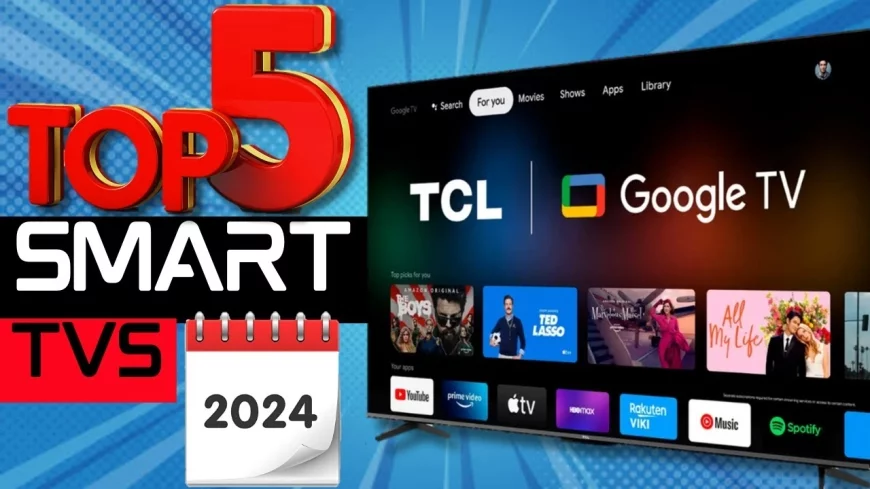
Android TV Guide: What It Is and Why You Might Need One
In 2025, Android TV has become a popular platform for streaming movies, shows, live TV, and more. But if you’re new to the world of smart TVs and streaming devices, you might be wondering: What exactly is an Android TV guide, and why is it useful?
This guide will break down everything you need to know and help you get the most out of your Android TV.
---
🔹 1. What Is an Android TV Guide?
An Android TV Guide is a digital interface or app that helps you navigate channels, streaming apps, and on-demand content on your Android TV or Android TV Box.
Think of it as a modern program guide that combines traditional TV schedules with streaming services like:
Netflix
YouTube
Disney+
Amazon Prime Video
IPTV and live TV services
Instead of flipping through channels manually, the guide organizes your content in a simple, easy-to-browse layout.
---
🔹 2. Key Features of an Android TV Guide
A good Android TV Guide can provide:
Program Schedule: See what’s currently airing on live TV channels.
Search & Recommendations: Quickly find movies, shows, or apps based on your preferences.
Integration with Streaming Apps: Access Netflix, Prime Video, and other apps from the same interface.
Customizable Favorites: Bookmark your favorite channels, apps, or shows for fast access.
On-Demand Access: View shows or movies available in streaming apps without switching between apps.
Some Android TVs and boxes even offer universal guides that combine both traditional TV and streaming content in one place.
---
🔹 3. Why You Might Need an Android TV Guide
1. Save Time: Instead of switching between apps or channels, everything is in one interface.
2. Discover New Content: Recommendations help you find shows or movies you might not know about.
3. Better Organization: Keep track of favorite channels, apps, and upcoming shows easily.
4. Ease of Use: Especially helpful for families or anyone who prefers a TV-like experience.
5. IPTV Integration: If you subscribe to IPTV services, a guide lets you see channels and schedule programs efficiently.
---
🔹 4. Choosing the Right Android TV Guide
When picking an Android TV Guide app or interface, consider:
Compatibility: Works with your Android TV or TV Box.
User Interface: Clean, intuitive, and easy to navigate.
Content Integration: Supports both streaming apps and live TV if you use IPTV.
Updates & Support: Regular updates for bug fixes and new features.
Customizability: Ability to add favorite apps, channels, and content filters.
Popular Android TV Guide apps include TV Guide, Kodi (with EPG plugins), and IPTV Smarters for IPTV users.
---
🔹 5. How to Get Started
1. Check if your TV has a built-in guide: Many Android TVs have Google TV or built-in guides.
2. Install a Guide App: Use the Google Play Store to download a compatible guide app.
3. Connect Streaming Services: Log in to Netflix, Prime Video, YouTube, and IPTV if needed.
4. Customize Your Favorites: Add your preferred channels and apps to save time.
5. Start Browsing: Explore schedules, recommendations, and on-demand content from one interface.
---
🔹 6. Final Thoughts
An Android TV Guide is more than just a TV schedule — it’s a central hub for all your entertainment.
Whether you’re streaming movies, watching live channels, or managing IPTV subscriptions, a guide helps you save time, stay organized, and discover new content easily.
If you want the ultimate viewing experience on your Android TV or Android TV Box, a TV guide is a must-have tool in 2025.
Android TV guide, best Android TV guide app, IPTV Android TV guide, Android TV navigation, Android TV Box tips 2025, streaming guide Android TV, Android TV schedule, Google TV guide, organize Android TV apps
What's Your Reaction?
 Like
0
Like
0
 Dislike
0
Dislike
0
 Love
0
Love
0
 Funny
0
Funny
0
 Angry
0
Angry
0
 Sad
0
Sad
0
 Wow
0
Wow
0